
🔥 Top Pokies at Royal Reels Casino












No App Store, No Hassle: Add Royal Reels Casino in 10 Seconds
Royal Reels Casino puts your account, games, and cashier in one mobile web app. Our PWA works like an app without an app store download, so you can add it to your home screen in seconds. Sign in through your account login for fast access, or complete registration in about two minutes. The Royal Reels Casino platform is built for iPhone and Android browsers, with no separate installation package to manage.
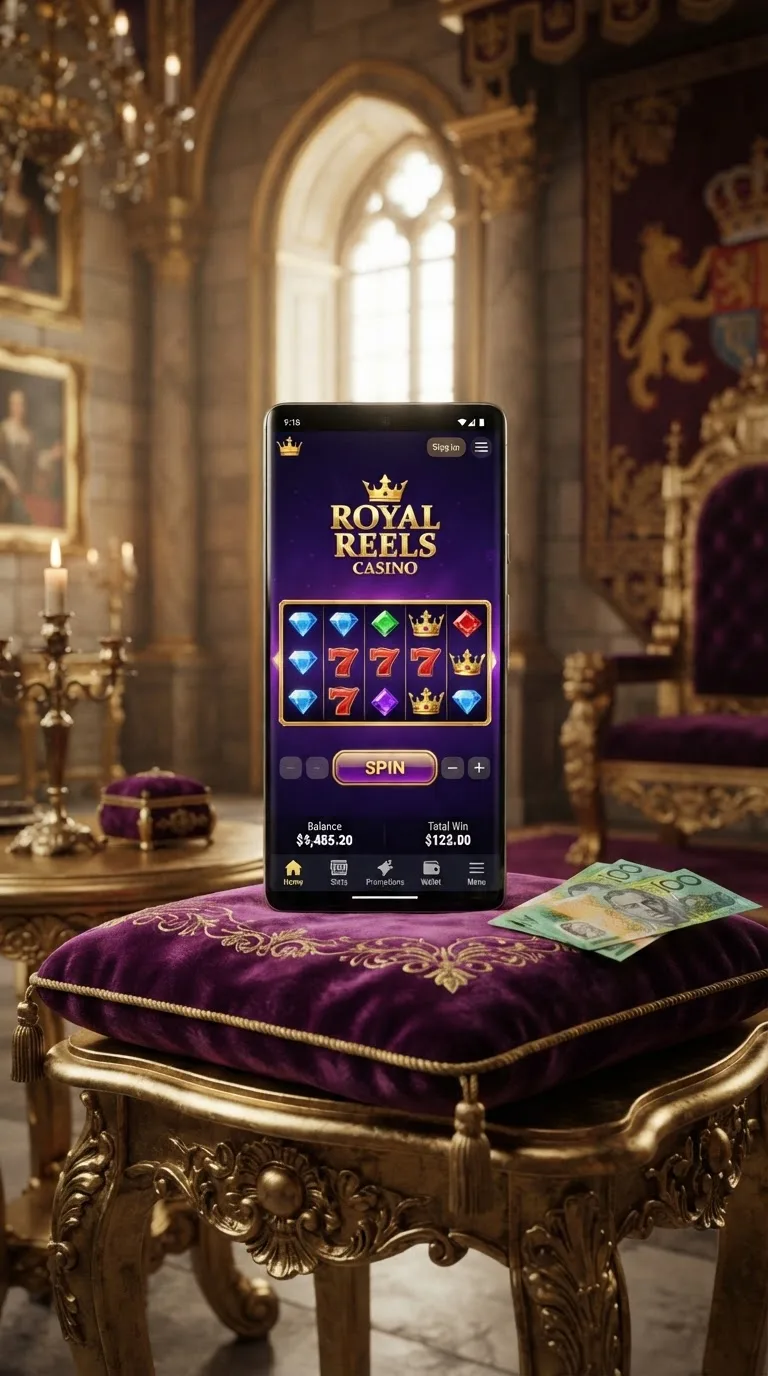
Your phone becomes the central place for your casino activity. Open the shortcut, return to your account, choose a game, or check your balance without digging through a browser tab. Our PWA uses your browser session and keeps account information on our servers rather than storing it as local app data. It works on Canadian mobile networks, including Bell, Rogers, and Telus, provided your connection is stable.
This operator gives mobile players access to over 3800 games from more than 45 providers. Interac, Visa, Mastercard, and bank transfer are available for deposits and withdrawals in CAD. Withdrawals are processed within 24 hours once your account is verified, while your first withdrawal may take 1 to 3 extra business days for identity document checks.
Our platform uses less data
We load the parts of each page you need instead of downloading a complete desktop-style site at once. That approach can help reduce mobile data use while you browse the Royal Reels Casino lobby or return to a game. The result depends on your connection, browser, and the video quality selected for live dealer play.
Games that fit your screen
Games switch between portrait and landscape automatically on supported mobile browsers. Hold your phone upright for lobby browsing, then rotate it sideways when a wider game view makes the controls easier to read. The Royal Reels Casino site responds to the change without requiring a separate download.
This layout is handy when you move between a quick slots session and account pages. Buttons, balance details, and game controls adjust to the available screen space. You can switch back to portrait mode when you need one-handed navigation.
This casino works through the browser, so compatibility depends on your current iPhone or Android browser version. Keeping Safari or Chrome up to date helps the page display correctly. The PWA does not require an app store listing or a native package.
- Portrait mode for lobby browsing and account access
- Landscape mode for wider game controls
- Browser-based access without a store download
Quick login after switching apps
Our gaming site lets you return to your session after checking a message, answering a call, or moving to another app. Your login flow stays tied to your account rather than a downloaded application file. If the session expires, sign in again through the browser using your account credentials.
Your data stays on our servers
Account information is kept on our servers instead of being saved as a readable account file on your phone. This means deleting the home-screen shortcut does not delete your account. You can remove the shortcut and add it again later through the same browser.
The operator asks you to use the normal sign-in page when a fresh verification is needed. Use a private device, keep your login details confidential, and sign out when using a shared phone. Our 24/7 live chat can help with access questions while you stay on the mobile site.
Returning from another app does not create a separate mobile wallet or duplicate profile. Your balance, game history, and account status remain tied to the same account. The browser may ask for a new sign-in if its session has closed.
Why updates are needed
We update the PWA when browser compatibility, security, or game access needs a change. There is no app store queue because the mobile experience runs through your browser. A refresh may be enough, while some changes require you to reopen the home-screen shortcut.
One tap to open
Adding the shortcut to your home screen creates an icon beside your other mobile apps. On iPhone, open the site in Safari, tap the share button, choose "Add to Home Screen," and confirm. On Android, open the site in Chrome, tap the menu button, choose "Add to Home screen," and follow the prompt.
- Open the Royal Reels Casino casino in Safari or Chrome.
- Choose "Add to Home Screen" from the browser menu.
- Confirm the shortcut name and tap the new icon.
The shortcut opens the PWA directly, so you do not need to type the address each time. Our platform may ask you to refresh after an important browser or account change. If the shortcut opens an older page, close it and launch a fresh browser tab.
| Update type | What changes | How it reaches you |
|---|---|---|
| Major PWA update | Navigation, account pages, or browser compatibility | Refresh the browser page |
| Security fix | Account access and session handling | Reopen the mobile shortcut |
| New game release | New titles added to the lobby | Refresh the game catalogue |
| Browser adjustment | Display and touch-control support | Update Safari or Chrome |
| Cashier update | Deposit or withdrawal page changes | Load the cashier again |
| Account update | Verification or profile requirements | Follow the on-screen prompt |
How long you can play on mobile
Battery use depends on screen brightness, network strength, browser activity, and whether you watch live dealer video. Our platform does not require a separate native app running in the background. Closing unused tabs and lowering brightness can stretch a full charge during longer sessions.
Live dealer video on your phone
The site supports live dealer play through the mobile browser where the game is offered. Video quality adjusts to the connection, which helps the table stay usable when network conditions change. A strong Bell, Rogers, or Telus connection can make live streams easier to view, but no mobile network removes every delay.
Use landscape mode when the dealer table includes several controls or betting areas. Portrait mode remains practical for menus and account pages. If video pauses, check your connection before closing the session, then reload the game if needed.
The mobile lobby includes access to over 3800 games across more than 45 providers. The exact selection can depend on regional availability, browser support, and the title you choose. The operator displays the available games directly in the mobile lobby.
- Live dealer tables through supported mobile browsers
- Landscape view for wider game interfaces
- More than 3800 games across over 45 providers
| Item | Starting size | Grows over time |
|---|---|---|
| PWA shortcut | Browser-managed | Minimal local data |
| Game pages | Loaded when opened | Depends on browser cache |
| Live dealer video | Streamed during play | Not stored as an app file |
| Account data | Kept on our servers | Not stored as a local profile |
| Game images | Loaded by the browser | May remain in temporary cache |
| Home-screen shortcut | Small browser shortcut | Does not install a native app |
A mobile experience that does not drain your battery
This casino loads games through a PWA rather than a separate native application. This avoids keeping a large casino package on your phone and lets the browser manage temporary files. Loading time depends on the game, device, and connection, so performance can vary between sessions.
The shortcut takes you straight to the mobile site, while the browser handles updates in the background of the page. You can clear old browser cache if pages begin loading slowly. Our 24/7 live chat is available when you need help with login, navigation, or mobile access.
Open registration to create your account, then use the shortcut for future sessions. You can also check the general offer terms on our bonuses page without leaving the mobile site. The brand keeps the main actions within a few taps of the home screen.
FAQ
What screen resolution does Royal Reels Casino need?
This platform works on current iPhone and Android screens in portrait or landscape orientation. A larger display can make live dealer controls easier to read, but the PWA adjusts to the available browser width. Keep your browser updated for the best layout.
How can I contact support efficiently?
Use our 24/7 live chat from the mobile site. Keep your username and a short description of the issue ready, but never share your password. The chat can help with account access, PWA navigation, and browser-related questions.
Does the Royal Reels Casino app support "Buy Feature" slots?
This operator provides access to available slot titles through the mobile browser. Whether a "Buy Feature" option appears depends on the individual game and its regional availability. Open the game information panel to check its available features before playing.
How much storage does the Royal Reels Casino app need?
This is a PWA, not a native app downloaded from an app store. The home-screen shortcut uses minimal local space, while game pages and images may remain temporarily in your browser cache. Your account information stays on our servers.
Does the Royal Reels Casino app auto-update?
The PWA updates through the browser rather than an app store. Refresh the page or reopen the home-screen shortcut when requested. Safari or Chrome may also need updating if a browser compatibility change affects the mobile layout.
Can I play Royal Reels Casino on Safari?
Yes, this site works through Safari on supported iPhone devices. Open the mobile site, tap the share button, choose "Add to Home Screen," and launch the shortcut. Safari may request a fresh login after a session expires.
How do I disable animations in Royal Reels Casino?
Check the accessibility and motion settings on your phone first, then reload the mobile page. Individual games may control their own animations, so the available setting can differ by title. Our 24/7 live chat can help you locate browser or device settings.
Are casino apps safe?
This platform uses a browser-based PWA, so you do not need to install an unknown APK or third-party package. Use the mobile site, protect your login details, and avoid shared devices for account access. The PWA keeps account information on our servers.
What happens if I receive a call while playing?
Your browser session may pause while you answer the call. Return to the site through the home-screen shortcut or browser tab, then check whether the game has remained open. If the session has expired, sign in again through the normal login page.